


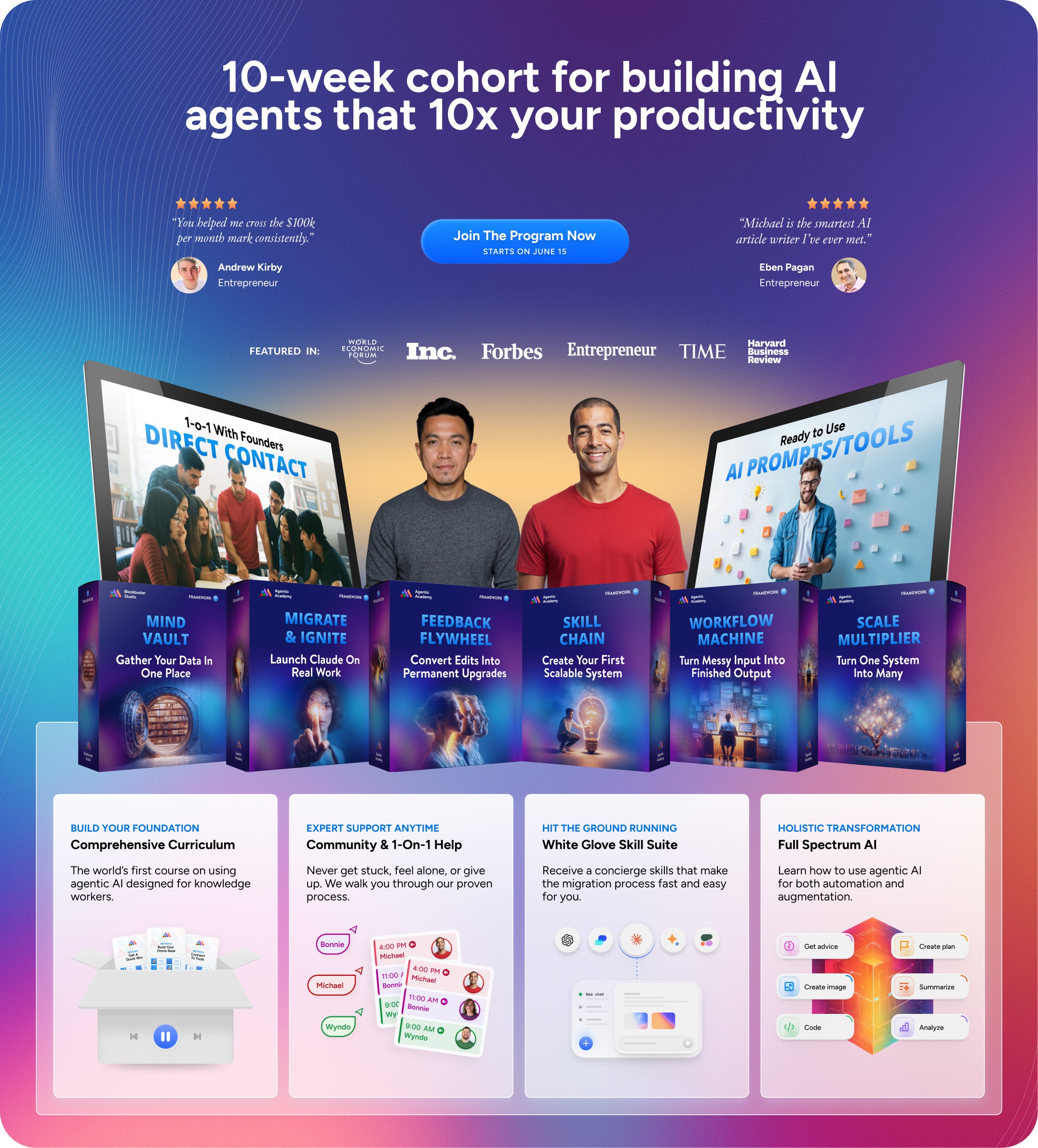
The Agentic Academy for Knowledge Work is a 10-week cohort that migrates you from using AI as a chatbot to running an agentic system built around your own work, with white-glove support every step of the way. Starting in Claude Code and structured so it transfers to Codex.
Created by two of the leading writers and teachers in AI knowledge work, it is the first and only cohort of its kind. Because it is not a course you watch. It’s a concierge-style program where we guide you, hands-on, through building a custom AI work system tailored to your specific work, your specific domain, and your specific goals.
The full cohort will start on June 22.
This page is a detailed look at what’s inside the program:
The week-by-week curriculum
A comprehensive skill suite
24/7 community support
Weekly tech calls to help you get unstuck
And also…
Who it’s for
What you walk away with
Pricing
How to join
You don’t need to know how to code. Claude Code speaks English. You don’t need to be technical. You describe what you want, and AI reads your files, applies your standards, and produces ready-to-use work.
What’s Inside: The 10-Week System
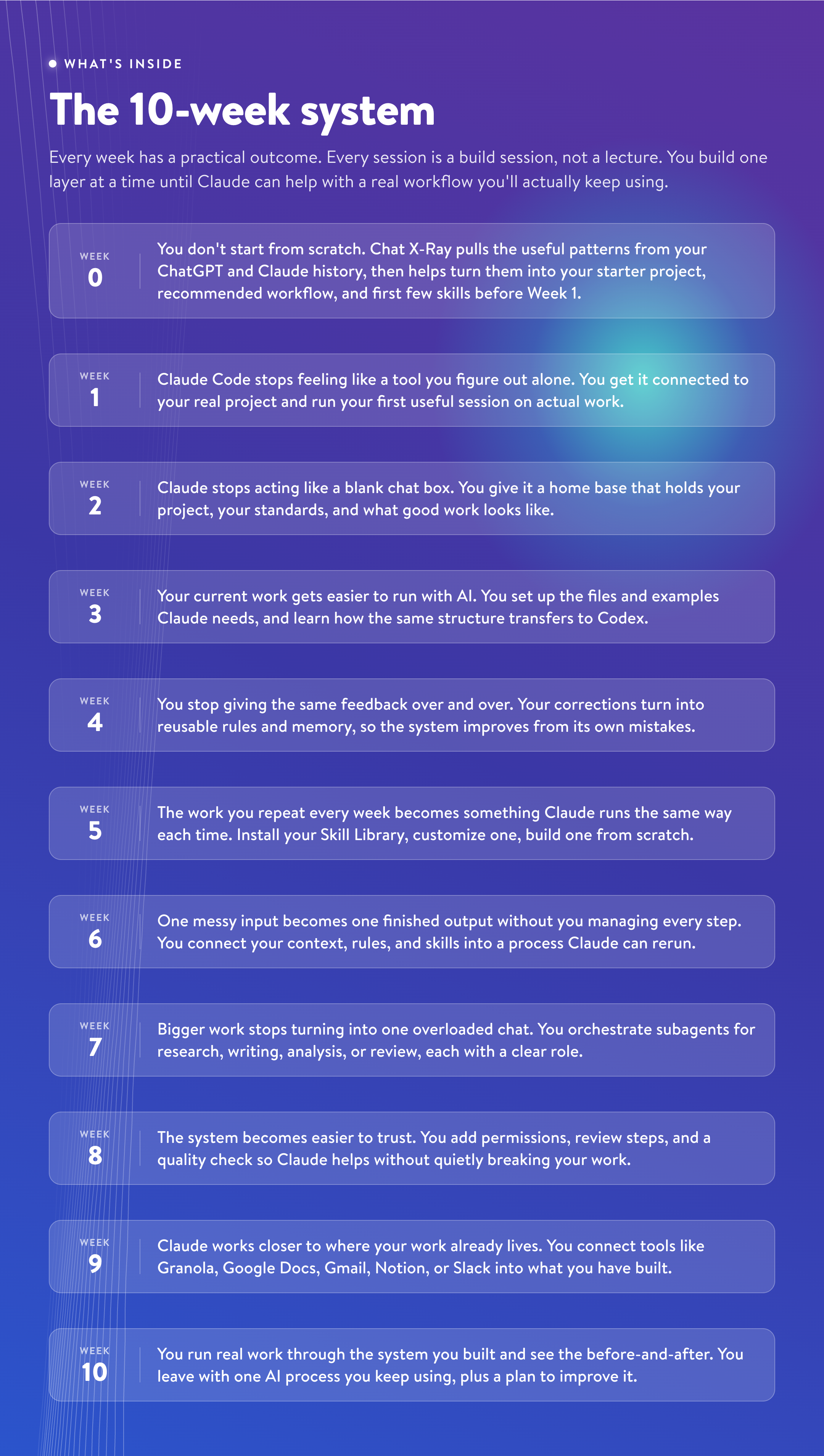
Every week has a practical outcome. Every session is a build session, not just a lecture. You are not learning disconnected features. You are building one layer at a time until Claude can help with a real workflow that saves you time and allows you to do things that were impossible before:
We start in Claude Code because it is the clearest place to learn the core agentic primitives:
Project folders
Source files
Rules
Skills
Workflows
Permissions
Review and evaluation.
We also show how that same structure adapts to Codex. The point is not to make you dependent on one product. The point is to teach you how the agentic paradigm actually works.
Every session is recorded and available on-demand within 24 hours. You keep access forever.
What You Walk Away With
By the end of the 10 weeks, agentic work is no longer an abstract idea. You have a working version of it built around your own project:
1. One real AI system you can keep using
You leave with one piece of your actual work turned into a process Claude can help run again.
It takes a real input from your work and turns it into a finished output.
It uses your project files, standards, examples, and decision rules.
It connects to the apps where your work already happens, like Granola, Google Docs, Gmail, Notion, Asana, or Slack.
2. AI that understands how your work works
Your agent stops behaving like a blank chat box because you have given it the material it needs to help properly:
It understands one real project well enough to help without a fresh explanation every session.
It knows which files, examples, notes, and references to use for different tasks.
Your repeated corrections turn into reusable rules and examples, so the same mistakes are less likely to come back.
3. The ability to build the next process yourself
The first process is the proof. The bigger win is knowing how to build the next one:
You know how to turn repeated work into skills instead of starting from a blank prompt.
You can orchestrate subagents for larger jobs instead of forcing everything into one overloaded chat.
You know how to let Claude help while protecting private files, reviewing risky changes, and keeping sensitive data from being shared publicly.
And underneath all of it, the one idea that makes everything portable: an agent’s output is shaped by what it can see. Once you can control that, you can pick up any new tool and put it to work.
What This Changes In Practice
Before the cohort, AI work usually depends on you holding the whole system together. You remember which context to paste, which examples matter, which standards to mention, which app has the source material, and how to clean up the output when the AI misses something obvious.
After the cohort, more of that structure lives outside your head. Claude knows where the project lives, which files matter, what good output looks like, what mistakes to avoid, and which process to run for the task in front of you.
That can look like:
A client call turns into a prep brief, follow-up, and deliverable draft that pulls from the client’s notes, your previous deliverables, and your delivery standards.
A messy content idea turns into a researched draft, voice-aware edit, and platform-specific version without rebuilding your style guide every time.
A week of meetings and scattered updates turns into a status report that surfaces decisions, risks, owners, and next actions for the right audience.
Claude still needs your judgment. The first change is that you are no longer spending the first half of every task getting AI back up to speed. The second work is that AI actually does much of the work for you.
Our Approach
We designed the program backward from what would maximize results for all students:
1. Built-in support from start to finish
You do not have to invent the setup yourself. Chat X-Ray helps turn your AI history into a starting project. The Skill Library gives you ready-to-use skills for your type of work. The Skill Upgrader and project audits help improve what you build during the cohort and after it ends.
2. You do not get stuck alone
You are not left alone with a tutorial and a folder full of files. The live sessions, WhatsApp community, and instructor support are there when you are choosing a project, structuring your files, fixing a stuck process, or deciding what to build next.
3. You stay in control of what Claude can touch
You learn how to give Claude useful access without handing it unlimited control. We help you set up permissions, review steps, and simple checks so you can protect private files, review risky changes, and reduce the chance of sensitive data being shared publicly.
What You Get When You Join
Everything below is part of the cohort. The live sessions teach the system. The skills, templates, and support help you build it around your own work.
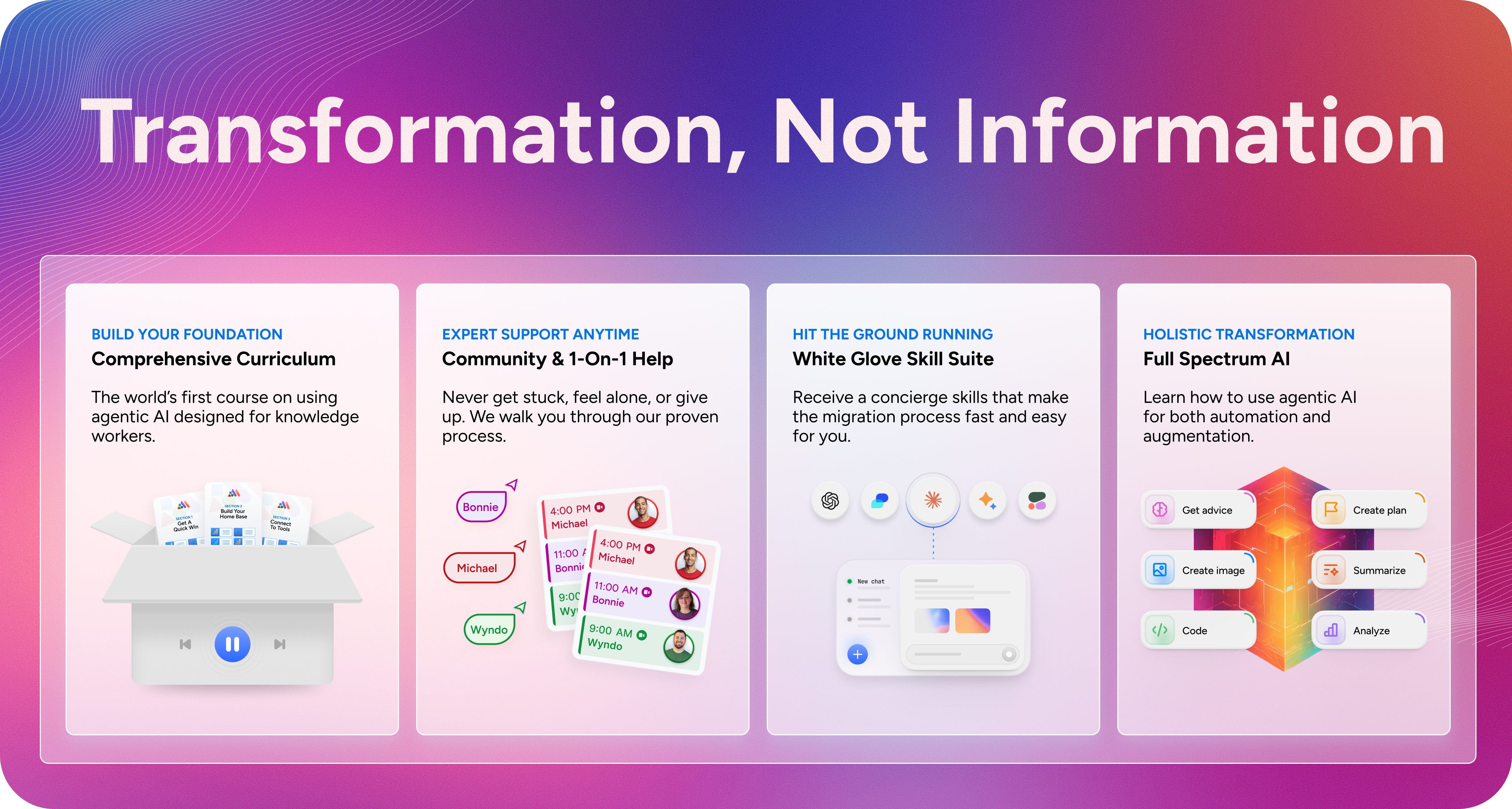
1. The Live Cohort
10 live build sessions: 90 minutes each, Mondays at 11am ET, with two instructors helping you build on your real project.
All session recordings: available within 24 hours and yours to keep forever.
2. Community + Support
WhatsApp support: Join a community with a 24-hour response guarantee, so you are not stuck waiting a week when something breaks.
Weekly tech support call: provide a weekly Q&A call on Thursday at 11:00am-12:00pm EST to answer all of your questions that are causing you to get stuck.
3. Concierge Skill Suite
We built and tested the first of its kind skill suite to make the migration to the agentic paradigm a whiteglove experience:
Chat X-Ray: a personalized analysis of your ChatGPT or Claude history that shows how you use AI, where your time is going, and which project is the best place to start.
The Chat Exporter exports your complete conversation history from Claude, ChatGPT, and Gemini, converting raw platform data into clean, organized files that Claude Code can work with.
The Context Exporter goes beyond chat to pull your professional data from Substack, LinkedIn, X, Zoom, Google Meet, Microsoft Teams, and other platforms where your work lives, giving Claude Code access to the full picture of your professional output.
The Chat X-Ray is a comprehensive, AI-powered analysis that reads your entire chat history and produces a personalized report showing you exactly how you use AI, where your time is going, what’s costing you, and what changes when you move into Claude Code.
The Skills Library Builder takes the patterns the Chat X-Ray identifies and automatically builds them into reusable Claude Code skills, so the prompts you’ve been re-typing for months become one-command tools you never have to explain again.
The Pipeline Builder identifies workflows that were fragmented across dozens of separate chat conversations and consolidates them into single, repeatable pipelines that run in Claude Code with full continuity.
The Knowledge Repository Builder organizes all of your exported data, frameworks, voice guides, methodologies, and institutional knowledge into a structured system that Claude can search, reference, and draw on automatically.
The Skill Finder: analyzes your project folder and the skills you have already built, then suggests 5 to 10 new skills worth exploring based on the work you are actually doing.
The Skill Upgrader analyzes any skill you’ve built, identifies the mental models and thinking patterns that would make it perform better, and rewrites the skill with those improvements integrated, so your tools get smarter every time you use them.
Starter project folder: the first version of the project structure Claude will use during the cohort.
1 to 3 starter skills: generated from patterns in your AI history, so you do not arrive at Week 1 with an empty folder.
Claude Code setup and Codex transfer pattern: the starting tool and the portable structure you can carry into Codex.
4. The Agentic Archetype Kit
Each student builds the same underlying system, but the examples, skills, and workflows change based on the kind of work you actually do.
A starter project structure for your archetype: content creation, consulting and coaching, entrepreneurship, or knowledge work.
A 10-skill Skill Library curated for your type of work, installed in Week 5 and ready to use immediately.
A starter workflow that matches your archetype, so you can see what a finished process looks like before building your own.
A capstone option designed around the kind of work you want the system to help with.
5. Build templates
You do not have to create every structure from a blank page. The cohort gives you the working pieces you need to build, test, and improve your setup.
CLAUDE.md and AGENTS.md starter template
Reference routing template
Correction log template
Skill customization template
Custom skill template
Workflow mapping template
Sub-agents template
Tool selection guide
Capstone submission template
Maintenance plan template
6. The improvement tools
The system is meant to keep getting better after the first version works.
The Automation Recommender: reviews your project, hooks, plugins, MCPs, and subagents, then suggests the next automations to add, from new hooks to useful tool connections to subagents that could take on part of the work.
The CLAUDE.md and AGENTS.md Improver: analyzes your project files and improves the instruction files Claude Code and Codex use to understand your work. It is built for knowledge workers, not developers, so the suggestions stay tied to your actual projects, standards, and recurring tasks.
Quality checks and simple evals: help you compare output before and after changes, so you can see whether the system is saving time, improving quality, or both.
AI-specific mental models: the thinking patterns that help you design better skills, clearer workflows, and safer delegation.
Who It’s For, And What Changes For You
The system is the same for everyone. The skills, examples, and workflows change based on what your work actually is.
Content creators (newsletter writers, bloggers, podcasters, YouTubers): Claude knows your voice, audience, content pillars, and publishing standards. A brain dump becomes a researched draft becomes a voice-checked edit becomes platform-specific social content, in one workflow. Your content operation runs like a studio instead of a solo scramble.
Consultants and coaches: Claude knows your clients, frameworks, and deliverable standards. Client notes become prep briefs. Meeting transcripts become insight summaries with running profiles that remember last month. Each client no longer needs a fresh introduction every conversation.
Operators and knowledge workers: Claude knows your projects, stakeholders, reporting formats, and decision criteria. Meeting notes become status reports. Scattered updates become action plans. The weekly report that takes two hours becomes a workflow that takes twenty minutes.
Entrepreneurs and business builders: Claude knows your product, market, customers, and priorities. Customer interviews become insight summaries. Strategy sessions become execution plans. The five hats you wear every day finally get their own infrastructure.
Who This Isn’t For
We would rather you find this out now than after you pay:
If you want a tool that works the second you open it with nothing to set up, this will frustrate you. The first few weeks are foundation-building before it pays you back.
If you are hunting for a pack of prompts to copy, this is the wrong room. The whole point is to move you past that.
If you don’t have time after the class to apply what you learn. Watching alone will not do it.
If you don’t have proven workflows you already use without AI. Without a body of past work for the agent to learn from, you will only see a fraction of the value.
If you are still reading and nodding, you are exactly who we built this for.
Summary
Format: 10 weekly live build sessions, 90 minutes each.
Schedule: Mondays, 11am ET. Starts June 15, final session August 17.
Tools: Claude Code first (Claude Code Desktop), structured to transfer to Codex. Obsidian as your local file home.
Community: WhatsApp, 24-hour response guarantee.
Recordings: every session recorded, yours to keep forever.
Requirements: an Anthropic account with Claude Code Desktop access, and one real project with a body of past files to build around. Setup instructions sent before Week 1.
The 30-day guarantee
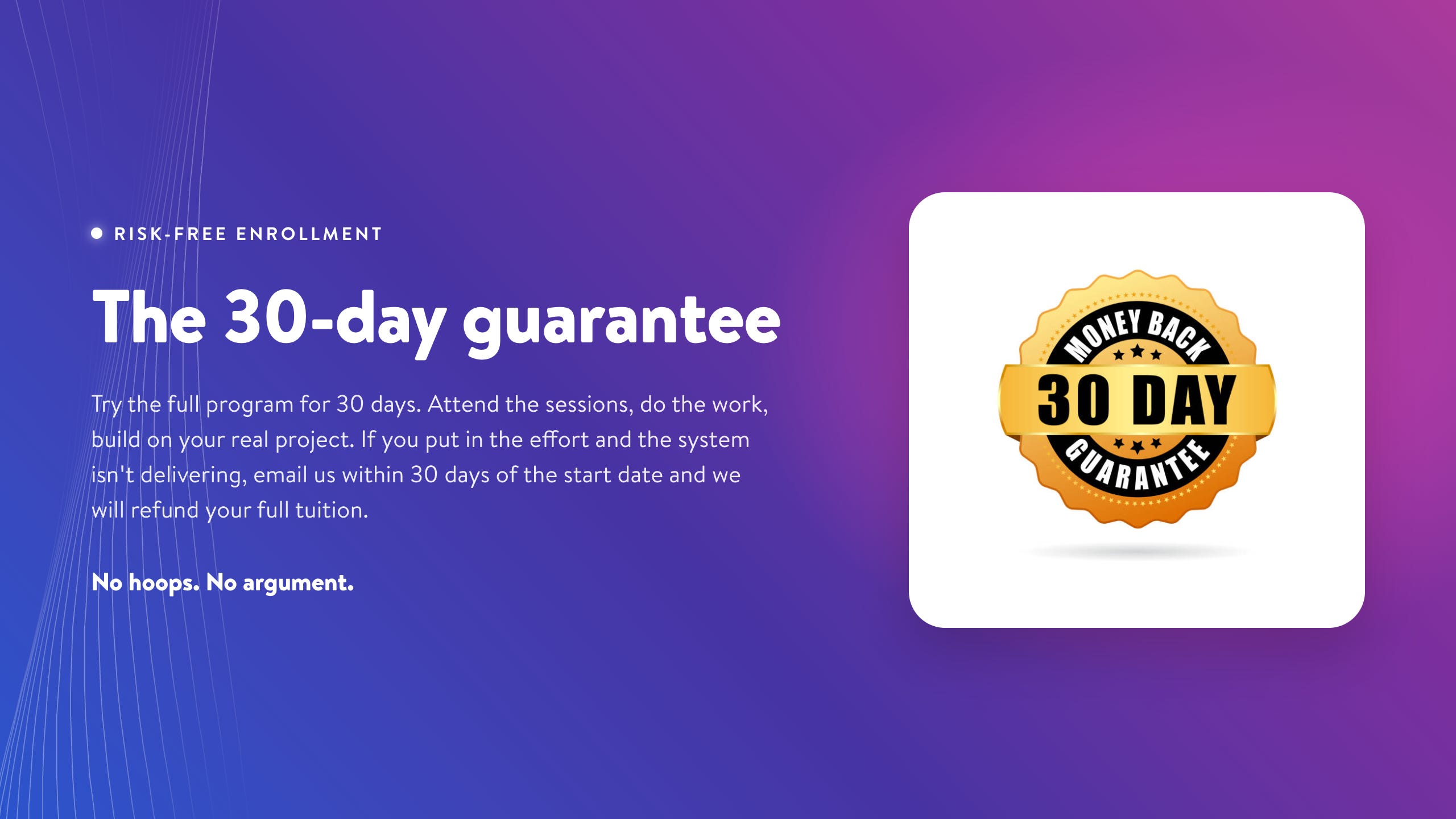
Try the first 30 days of the full program. Attend the sessions. Do the work. Build on your real project. If you have put in the effort and the system isn’t delivering, email us within 30 days of the start date, and we will refund your full tuition. No hoops. No argument.
Frequently Asked Questions
“Do I need to know how to code or be technical?”
No. The cohort is built for people who have never written a line of code and don’t intend to start. Claude Code speaks English. The skills that matter are the ones you already have: knowing your domain and knowing what good output looks like.
The same goes for being technical. You don’t need to be the person in your community that people turn to when the computer stops working.
“I’m already productive in chat. Why would I switch?”
Because you have adapted to the constraints so well that you have stopped noticing the cost. The Chat X-Ray skill we provide makes those costs visible: early users found they were spending 12 to 26 hours over a 20-month period on pure overhead like re-explaining context and re-pasting prompts. That drops to near zero in Claude Code. For more on the invisible ceiling of chat, read The Chat Trap: Why the Smartest AI Users Are Working the Hardest.
Can’t I just learn this from YouTube?
You can learn individual features from YouTube. What you can’t get there: a personalized analysis of your work patterns, a curriculum that builds each concept on the last, live help when you are stuck, and instructors who look at your actual project and tell you what to fix.
Why Claude Code, and what about Codex?
Claude Code is the clearest place for a non-technical professional to experience agentic work: files, structure, permissions, workflows, and review. The mental models and workflows transfer to other tools. We show how the same structure adapts to Codex.
Do I need to attend live, or can I watch the recordings?
Live is better, since the sessions are build sessions, not lectures. Every session is recorded and available within 24 hours, and you keep access forever.
How much time do I need outside the live sessions?
Plan for 2-4 hours per week, building on your real project.
What if I fall behind?
Every session is recorded, the WhatsApp community gives async support, and because everyone builds a different project there is no single pace to fall behind from. The Ongoing plan also includes unlimited retakes.
What project should I bring, and can I switch it later?
Bring one real project you spend at least a few hours a week on, with past files to draw on. We recommend sticking with one so each week builds on the last, but we will help you pivot early if it turns out to be a poor fit.
Can my team join?
Yes. The Ongoing plan is built for teams of two or more, and the Custom plan for whole teams of five or more.
Ten weeks. Your real work. A complete AI system by the end.
Featured Testimonials

“Michael’s strategies helped us get articles published on Fortune, Business Insider, and Inc. We even had one article earn over $100,000 in revenue! Seminal works, and there is nothing like it on the market.”
—Russ Ruffino, Clients On Demand

“Over my career, I’ve sold over $100 million dollars in online courses to over one million paying students. I’ve written several books, and I know the best copywriters in the world. Michael is the smartest article writer I’ve ever met. He has mastered the unique art of creating free, high-quality educational content that is also high-converting. If you are a coach, consultant, or thought leader who wants hundreds or even thousands of leads from every article you write, there is no other program like this in the world.”
—Eben Pagan
Pricing
Three ways to join, depending on how far you want to take it:
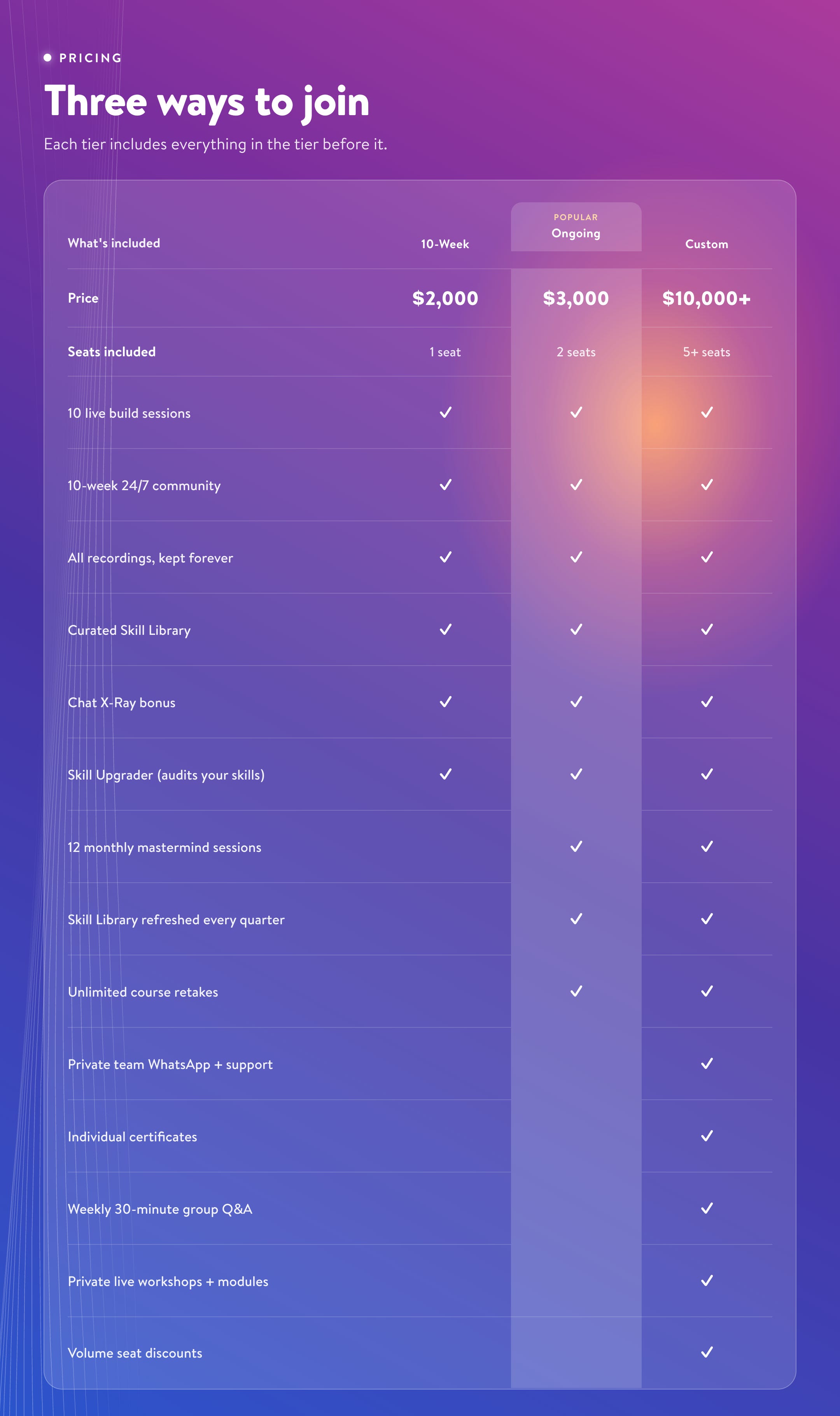
Discount For Founding Members Of Michael And Wyndo Newsletter
Founding-member discount for AI Maker and Blockbuster Blueprint : $500 off any plan. This is the very first cohort. Founding members lock in the lowest price this will ever be, and the price goes up after this run.
Hello Michael: I just upgraded my substack subscription for AI Maker to Founding. I'm interested in the 'Ongoing' pricing. Will the $500 discount automatically show up in the registration? Thank you!
I signed for for the ongoing tier this morning and there was no where in the registration or the UI for me to assign my second seat. Can someone point me in the right direction before EOD. I would appreciate it.