



When ChatGPT launched Sites in June, Michael Simmons ignored it.
He’s written about this himself. A website builder didn’t seem worth his attention. There were already plenty of vibe coding tools, and Claude had Artifacts. So he moved on.
Then, over four weeks of nights and weekends, he built eight apps with it:
Think With MODELS, a library of 600+ thinking moves drawn from the biggest breakthrough ideas in history.
Bestseller Playbook, a database of the most enduring New York Times bestsellers and the patterns behind them.
And See Then Build, which he now opens more than ten times a day.
By his estimate, an agency would have charged around $10,000 for the branding of each one, and tens of thousands more for the programming. He spent under $500 in AI credits and didn’t write a line of code. (The full story is here.)
I’ve been building with Sites too. Today, I want to show you three things I made and the skill I made them with. It’s the same skill everyone at Friday’s bootcamp gets, and the idea behind it starts with one of Michael’s Sites.
What See Then Build Taught Us
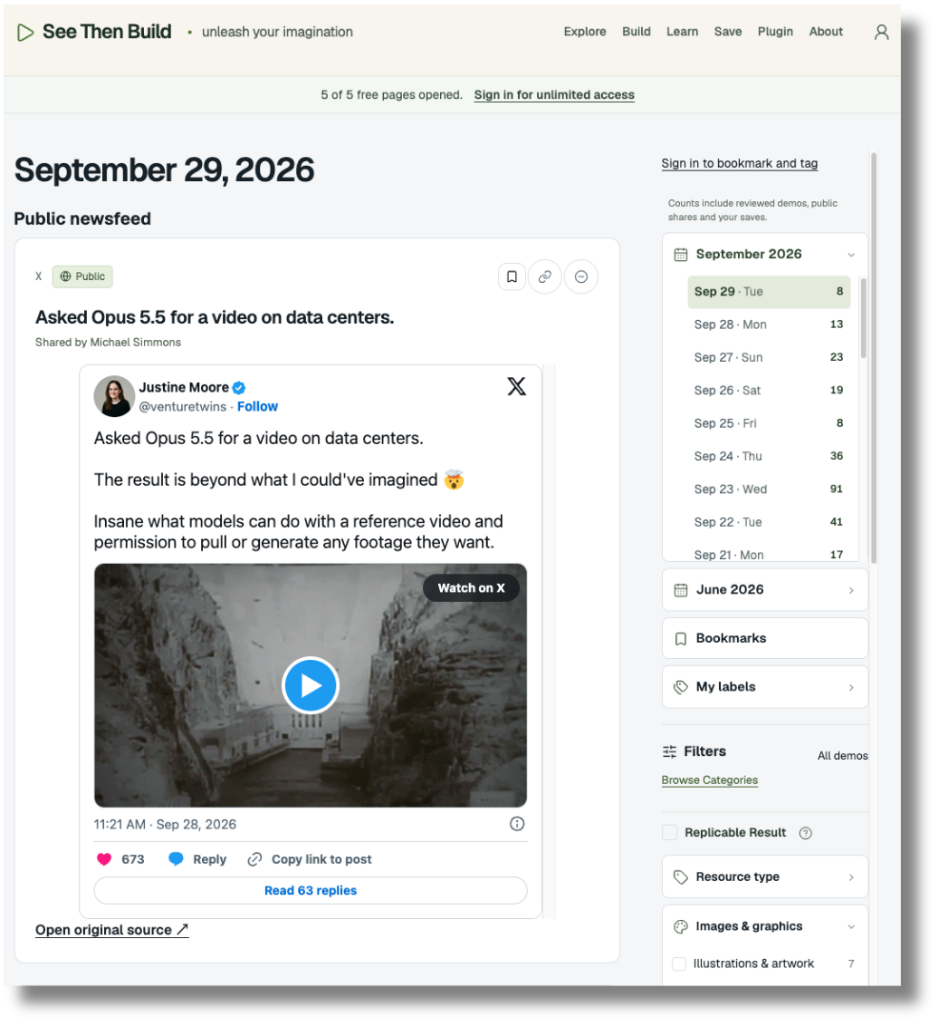
See Then Build was the first Site Michael made. It took him about 15 hours.
The problem it solves might sound familiar. Some of the best examples of what AI can do right now show up as posts on X. They get buried in hype and reposts, they vanish from your feed within hours, and X’s bookmarks make them hard to find again. Michael was spending more than 30 minutes a day hunting for demos he’d seen once and couldn’t find.
So he built a machine to do the hunting. Every night at midnight, a ChatGPT scheduled task searches X for new AI demos using his rules: certain keywords, a minimum number of likes, a playable video or image of the actual creation, and details on how it was made. The results go into a database, and when he wakes up, a new edition is waiting. He bookmarks the ones he wants to keep, tags them, adds a note, and searches everything he’s saved. In September alone, it surfaced more than 60 demos he found useful.
What stuck with me most was his reason for building it. When you see someone else’s successful experiment, two things happen:
You learn that something is possible.
And you get a reference that AI can work from, which is exactly the kind of input AI is good at remixing.
Once you have both, making your own version gets a million times easier.
That idea, starting from a reference, is what /site-builder is built on. Michael used it to find what to build. We turned it into a way to build it.
Where Non-Designers Get Stuck
What made Michael and I go deep and decide to cover ChatGPT’s Sites feature is that it takes away most of the technical work. You don’t need to understand which programming languages are running behind it. It doesn’t matter whether it runs on JavaScript, React, Ruby, or anything else. All you have to do is describe what you want in a conversation using plain English, and it builds it. But the problem is that describing what you want is harder than it sounds—especially when you don’t know the right vocabulary to ask your AI agent for it.
Let me explain:
The look. You land on Apple’s website and it feels expensive. You open Notion and it feels calm. But ask yourself why, and “clean and modern” is usually as far as you get.
How it works. On Netflix, you hover over a title and it starts playing a preview. On Amazon, you tick a couple of filters and thousands of products narrow to a dozen. Spotify Wrapped shows you one screen at a time, and you keep tapping to the end. You’ve used all of these without thinking about them. But try describing one to AI. And, it gets harder. “Make it interactive” gives it almost nothing to work with.
What it should do at all. Every app you use made choices about what to show first, what to tuck away, and what to leave out entirely. Then, it iterated via customer feedback. When you build your own site from scratch, it’s hard to know which features it needs so people finish it and come back tomorrow.
When you can’t describe these things, what comes back often looks fine and works fine, but it feels generic, like a template anyone could have picked.
The sites you admire have already answered all three questions: the look, how it works, and which features matter. It’s all right there on the page and in its code.
So instead of asking you to describe what you want, /site-builder asks you to point at it.
What The /site-builder Skill Does
Watch this video explainer to see how this skill can help you build a fully working website:
Here’s what happens when you run the skill:
It starts with what you’re building. Before looking at any site, it asks what yours is, who it’s for, and the one thing you want a visitor to do: join your list, book a call, buy, take a quiz. Every choice after this is made around those answers.
You show it other sites you like. You share a link and a few screenshots of each, plus one line on what you like about it. That can be how it looks (”the clean top section”) or how it works (”how it shows one question at a time”). The sites don’t have to be the same kind of site as yours.
It takes the look apart, in plain English. It reads the site’s code to get the exact colors, fonts, and spacing, then goes through every section: what it’s for and why it works. If it has to guess something from a screenshot and not the code, it tells you.
It takes apart how it works, too. It lists every interaction a visitor uses, such as a step-by-step flow, a progress bar, filters, tabs, or cards that open, and describes each one by what you do and what happens next. When it can, it opens the site and tries them the way a visitor would.
It suggests what to keep. For each section and feature, it recommends keep, change, or drop, based on what you told it you’re building. You confirm or adjust.
It writes the plan in your words. It asks about your offer, your brand, and any words you already have. It writes the page with your phrasing first and spells out, step by step, how each feature should behave. Anything it wrote itself is marked, so you know exactly what to check. It also saves your look in a design file, so your next page matches without answering the brand questions again.
It builds a first version that works. The look comes first, then the feature behind your main button, then the rest. Anything that runs on the page is built right away: a quiz with scoring and a result, a calculator, filters, search, tabs, or a signup form that stores who joined.
It connects to other services after your first version works. My RSS feed reader pulls in newsletters through RSS and new videos from YouTube. The skill writes that request for you, like “Every morning, pull the latest posts from these feeds and videos from these channels, and show them as cards.” You add your links, send it, and ChatGPT builds the connection.
It can polish the look. Once you have a first version, you can ask for a polish pass. A separate subagent compares screenshots of your page with the site you admired, without being told which one is yours, and names the single biggest gap. The skill fixes that one thing, and the page goes through again, for up to three rounds.
It checks everything before you share. It confirms that nothing was copied from the sites you showed it, meaning no words, logos, images, quiz questions, or code. It uses every feature the way a visitor would, on a computer and on a phone. And it makes sure there are no made-up testimonials or numbers and that your main button goes where you chose.
It borrows how a site looks and how it behaves, never its content, so what you end up with is yours.
Three Things I Built With /site-builder
Here’s what I’ve made so far. None of the sites I borrowed from are the same kind of site as the thing I built, and I’ll come back to why that matters.
#1. An RSS reader, borrowing from Webflow
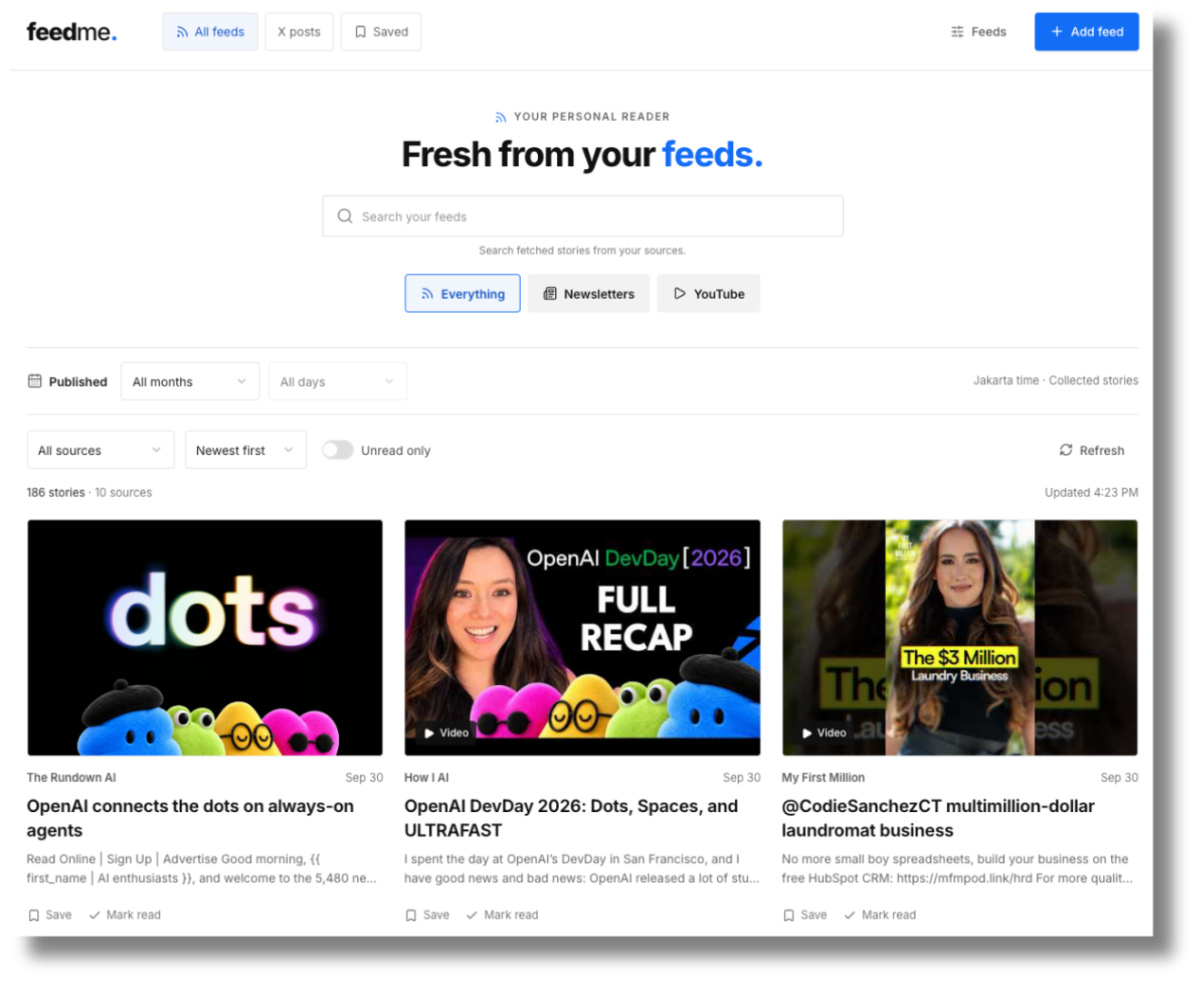
I follow a lot of newsletters, X accounts, and YouTube channels, and keeping up with them meant checking a dozen places. So I built my own reader called FeedMe. It collects the posts and newsletters I follow through their RSS feeds and X accounts, along with the YouTube channels I watch, and puts them on one page.
Every day, I open it and decide what’s worth reading or watching. It has been reliable, and it’s become part of how I start my day.
For the look, I pointed the skill at Webflow’s site. I like Webflow’s design because it looks modern and offers a simple approach to web design. I also like its grid-style gallery. It took around 20 minutes for ChatGPT to one-shot it using the Astra model with a high thinking effort.
#2: A newsletter dashboard, borrowing from Stripe
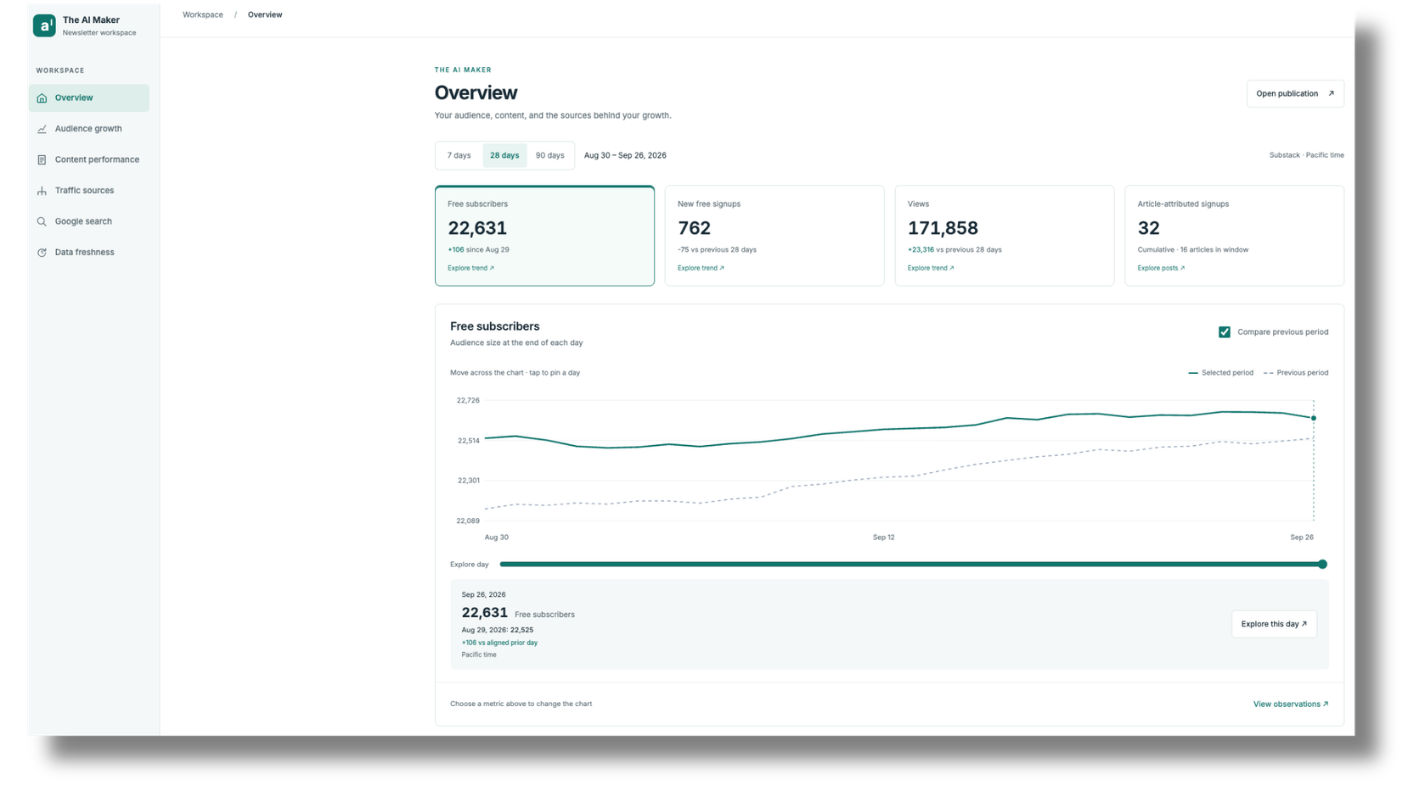
I wanted one place to see how the newsletter is doing. My dashboard pulls in my Substack data, Google Analytics, and Search Console, so I can see the numbers and my progress without opening three tabs.
I made it interactive, too, so it’s something I actually enjoy opening, which matters more than I expected for a tool I check regularly.
Stripe was the reference. Their dashboards are known for making numbers easy to read. By using the skill, I pointed it at Stripe website and shree three screenshots of how Stripe dashboard looks like.
This dashboard connects to Substack and the OpenSEO MCP. This allows ChatGPT to access data from my Substack, including subscriber count, channels, and cohort retention. OpenSEO, on the other hand, provides data on keyword volume, competition, and Google Analytics (including traffic and acquisition sources), as well as Search Console metrics that show the search queries people use to find my newsletter.
Every Monday at 9 a.m., I run a scheduled automation that refreshes the data, so I don’t need to update anything manually—ChatGPT handles everything for me.
#3. An AI workflow quiz, borrowing from Duolingo
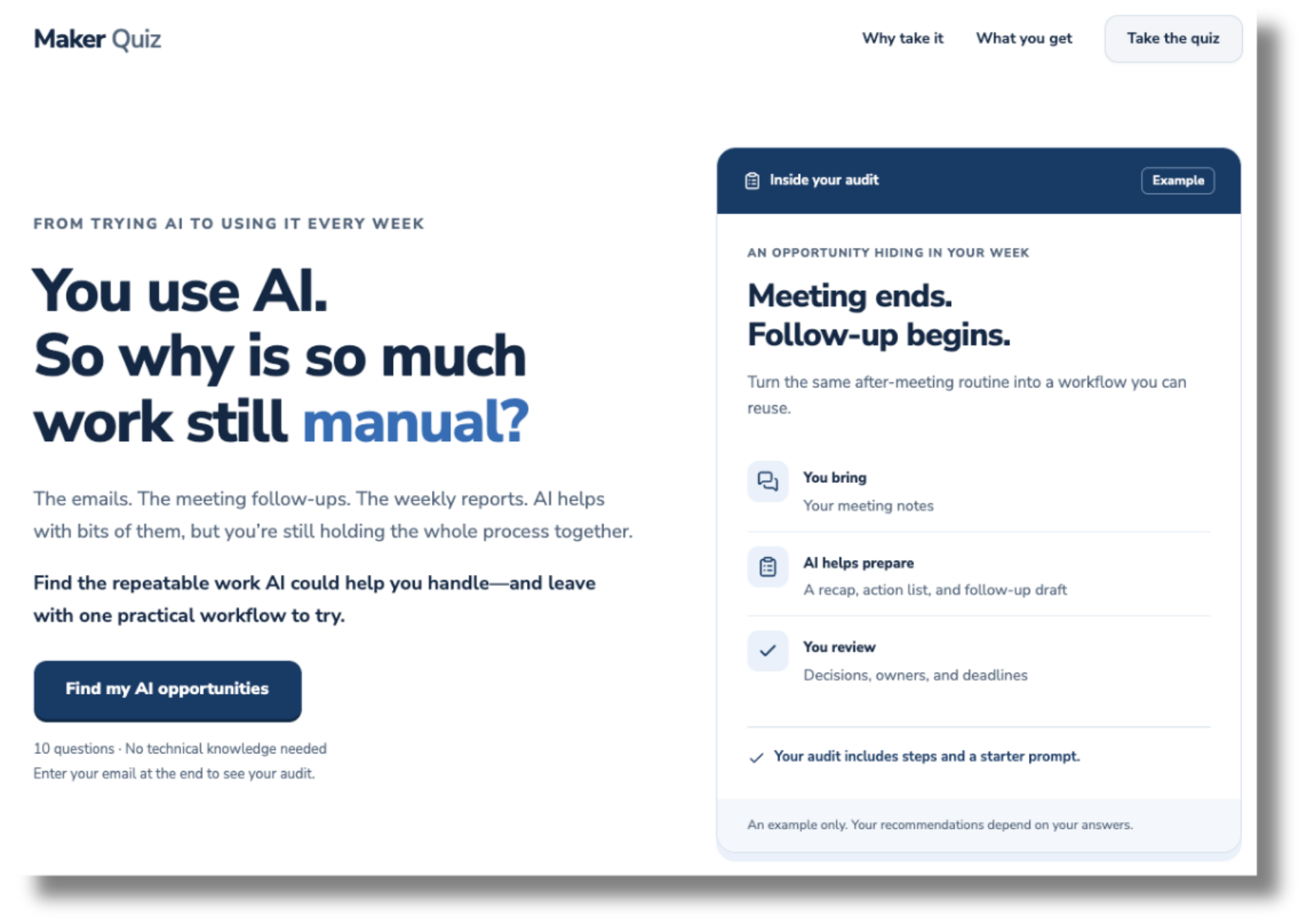
This one is a lead magnet. Readers answer a set of questions about where they are with AI in their work. At the end, they get an audit: what they’re doing now, how they could improve, and which tasks they could automate.
I used Duolingo as a reference because a quiz should feel easy and encouraging enough to finish, with a progress bar to keep people motivated.
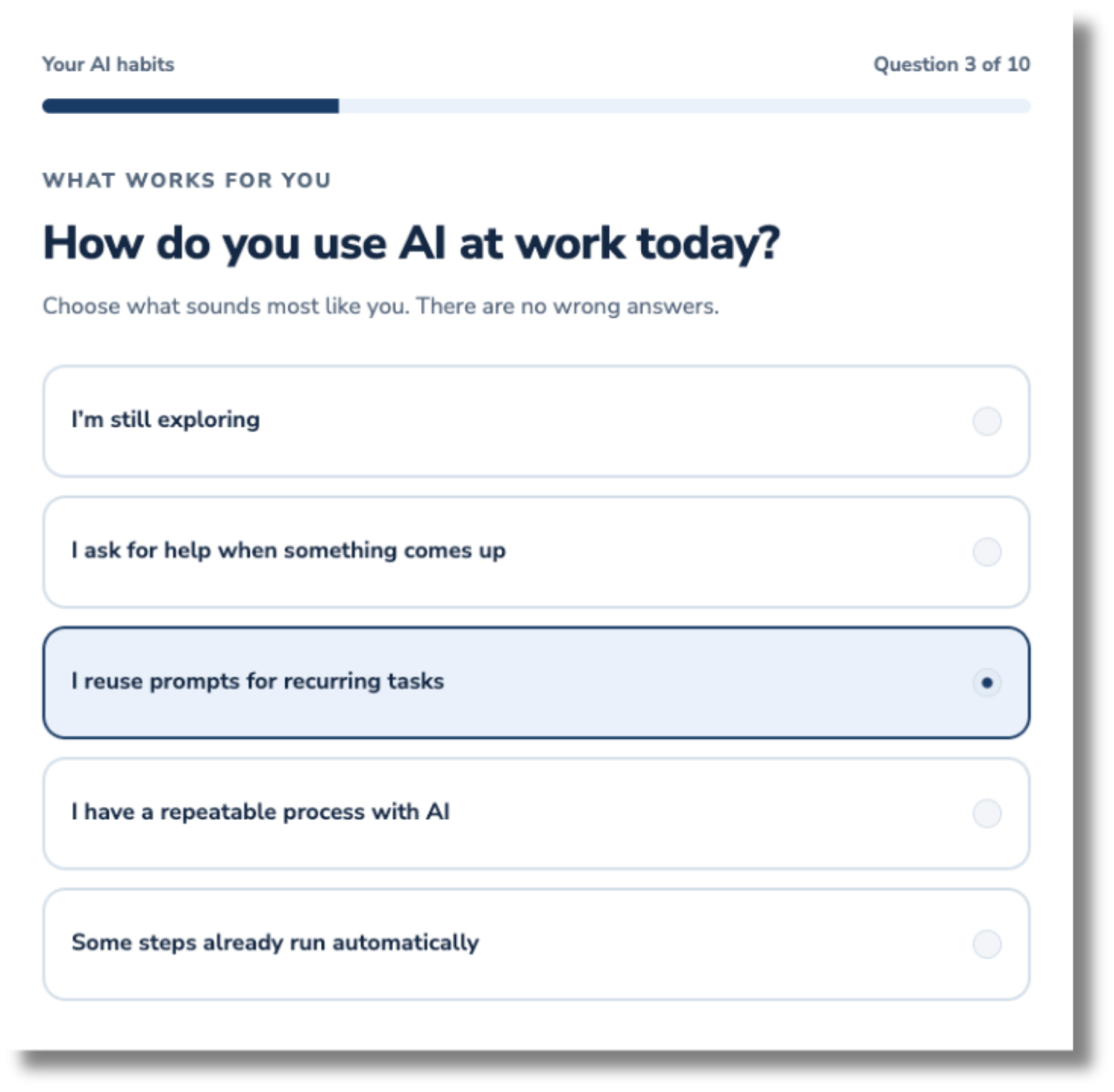
What’s interesting about this quiz lead magnet is that people need to answer 10 questions, then enter their email before they get the audit result. I asked ChatGPT for this feature specifically, and it built it for me. The emails that are captured are automatically connected to Kit (formerly ConvertKit) as my alternative email platform to Substack, because I want to nurture those people into engaged readers and eventually upgrade them to paid subscribers on my Substack.
All of this workflow is possible with ChatGPT Sites, and I didn’t even touch any code—I just told ChatGPT to do everything for me.
Takeaway #1: Borrow the feel, not the category
Look at the three references again. Webflow isn’t a feed reader. Stripe isn’t a newsletter dashboard. Duolingo isn’t an AI audit.
I picked each one for how I wanted my Site to feel to use. A reader I open every morning should feel calm and easy to scan. A dashboard should make numbers clear at a glance. A quiz should feel light and a little rewarding, so people finish it.
This is the most useful thing I can pass on before Friday. When you pick your reference, the question isn’t “which site does the same thing as mine?” Ask which site feels the way you want yours to feel. The skill handles translating that feel into your Site. Your job is to notice it.
Takeaway #2: Start from your own problem
My RSS reader didn’t start as an idea for a Site. It started as a problem.
I follow AI closely, which means a stack of newsletters, a handful of YouTube channels, and a list of X accounts. For a long time, I went through them one by one: my inbox, then YouTube, then X, trying to remember what I’d already seen. Most of my time went into getting to the content, and very little into deciding whether it was worth my attention.
So I built one place that brings it all together. Now I open my own app, see what’s new, and decide: is this good, and do I need to go explore them further?
That’s how I’d suggest finding your first Site. Skip “what could I build?” and start from something in your own work that’s scattered, repeated, or annoying. Then build the thing that fixes it for you. You know that problem better than anyone, so you’ll know right away whether the solution works for you. And if it helps you, it may help other people who do the same kind of work.
A few questions to find yours:
What do you check in several places every day?
What do you rebuild from scratch every time, like a proposal, a report, or an onboarding doc?
What do people keep asking you that you answer the same way each time?
What lives in a spreadsheet you wish were easier to use?
Here’s what that can look like, depending on your work:
Coach: client check-ins arrive by email, text, and notes. A page where each client logs their week, so you see everyone’s progress before your calls.
Consultant: every discovery call starts with the same questions. An intake questionnaire that turns a prospect’s answers into a one-page summary before you meet.
Writer or creator: ideas are scattered across notes, bookmarks, and voice memos. An idea bank where you tag and search everything, and can see which ideas are ready to write.
Researcher or analyst: your topic is spread across journals, news sites, and reports. A reader like mine, built for your field.
Manager or team lead: team updates get buried in chat threads. A weekly update page where everyone posts in the same format, so you can read the week in five minutes.
Freelancer: every lead asks what a project costs. A calculator that gives an estimate from a few questions, before they book a call.
Course creator or educator: students ask the same questions every cohort. A searchable answer library, or a practice tool they can use between lessons.
Some of these ideas could be a single-page website where you ask AI to build all the features inside it, while others require pulling in outside data, like my feed reader. Either way, you start from the same place: a problem you already know well.
On Friday, October 2, 11:00am To 2:00pm EST, Build Your Site Alongside Us.
You’ll choose what to build, use /site-builder to make it look good, set up a database and sign-ins, put it on your own domain, and go through 5 ways to make money from it. The session is recorded with full resources if you can’t make it live. You’ll need ChatGPT Pro (from $100/month), since ChatGPT Plus ($20/month) runs out of usage quickly when building.
If you attend the Bootcamp, get one-on-one support and you aren’t able to build a Site that wows you by Sunday, November 1, email support@thoughtleader.school and we’ll refund you in full. That applies to both the year-long mastermind ($2,500) and the $500 bootcamp.
What stands out here is that the reference is doing more than giving AI a look to copy. It turns tacit preference into a more inspectable input. That removes a big articulation burden, but it does not remove the judgment layer, you still have to decide which behavior is worth borrowing, which problem you are actually solving, and what should be left behind. That feels like the real leverage.
Any discount for AI maker founding members?